参考网友的安装过程 Linux系统Centos安装Python3.7设置Python默认为Python3.7mv /usr/bin/python /usr/bin/python.bakln -s /usr/python/bin/python3 /usr/bin/python 问题1:编译安装(make install)时抛错了 M...
参考网友的安装过程 Linux系统Centos安装Python3.7
设置Python默认为Python3.7
mv /usr/bin/python /usr/bin/python.bak
ln -s /usr/python/bin/python3 /usr/bin/python
问题1:编译安装(make install)时抛错了 ModuleNotFoundError: No module named '_ctypes'
解决方案:
3.7版本需要一个新的包libffi-devel,安装此包之后再次进行编译安装即可。
yum install libffi-devel -y

make install
问题2:pip install scrapy 时出现错误 error: command ‘gcc’
原因:由于pip是Python2.7的版本,而在安装过程了默认Python已经是3.7版本了,就是pip和Python版本不一致
解决方案:
添加一个pip3新软件到执行目录,保留原来的pip
# 如果有删掉原来的软连接
rm /usr/bin/pip3
# 重新创建软连接
ln -s /usr/python/bin/pip3 /usr/bin/pip3
# 用pip3安装Python3的应用
pip3 install scrapy
问题3:提示缺少扩展模块(这里个人觉得和PHP的安装环境类似,正常会有一个_sqlite3.so) pip._vendor.packaging.requirements.InvalidRequirement: Invalid requirement, parse error at "'_sqlite3'"
原因:这一步是由于没有搞清楚运行 scrapy 应用需要哪些扩展,首先就需要这个
解决方案:
安装Python3.7前,最好先 yum 安装所需要的依赖『**** 然后重新编译安装Python3.7 ****』,给一个网友给出的依赖,运行通过
yum -y install sqlite-devel gcc libffi-devel openssl-devel libxml2 libxslt-devel libxml2-devel python-devel python-setuptools
问题4: 运行 yum 命令时抛错 'File "/usr/bin/yum", line 30 except KeyboardInterrupt, e:'
原因:因为yum包使用python2*等开发,修该为环境修改python3之后有问题
解决方案:
修改文件 /usr/bin/yum 和 /usr/libexec/urlgrabber-ext-down 头中相应python 为 python2.7,如下
#!/usr/bin/python2.7
问题5:运行 scrapy 遇到 SyntaxError:invalid syntax,在“from twisted.conch import manhole”而且提示符‘^’指向async
原因:Python3.7 这个版本把async变成了关键字
解决方案:
替换掉 python3.7/site-packages/twisted/conch/manhole.py 文件中的 syntax 关键字,修改后的如下:


# -*- test-case-name: twisted.conch.test.test_manhole -*-
# Copyright (c) Twisted Matrix Laboratories.
# See LICENSE for details.

"""
Line-input oriented interactive interpreter loop.

Provides classes for handling Python source input and arbitrary output
interactively from a Twisted application.  Also included is syntax coloring
code with support for VT102 terminals, control code handling (^C, ^D, ^Q),
and reasonable handling of Deferreds.

@author: Jp Calderone
"""

import code, sys, tokenize
from io import BytesIO

from twisted.conch import recvline

from twisted.internet import defer
from twisted.python.compat import _tokenize
from twisted.python.htmlizer import TokenPrinter

class FileWrapper:
    """
    Minimal write-file-like object.

    Writes are translated into addOutput calls on an object passed to
    __init__.  Newlines are also converted from network to local style.
    """

    softspace = 0
    state = 'normal'

    def __init__(self, o):
        self.o = o


    def flush(self):
        pass


    def write(self, data):
        self.o.addOutput(data.replace('\r\n', '\n'))


    def writelines(self, lines):
        self.write(''.join(lines))


class ManholeInterpreter(code.InteractiveInterpreter):
    """
    Interactive Interpreter with special output and Deferred support.

    Aside from the features provided by L{code.InteractiveInterpreter}, this
    class captures sys.stdout output and redirects it to the appropriate
    location (the Manhole protocol instance).  It also treats Deferreds
    which reach the top-level specially: each is formatted to the user with
    a unique identifier and a new callback and errback added to it, each of
    which will format the unique identifier and the result with which the
    Deferred fires and then pass it on to the next participant in the
    callback chain.
    """

    numDeferreds = 0
    def __init__(self, handler, locals=None, filename="<console>"):
        code.InteractiveInterpreter.__init__(self, locals)
        self._pendingDeferreds = {}
        self.handler = handler
        self.filename = filename
        self.resetBuffer()


    def resetBuffer(self):
        """
        Reset the input buffer.
        """
        self.buffer = []


    def push(self, line):
        """
        Push a line to the interpreter.

        The line should not have a trailing newline; it may have
        internal newlines.  The line is appended to a buffer and the
        interpreter's runsource() method is called with the
        concatenated contents of the buffer as source.  If this
        indicates that the command was executed or invalid, the buffer
        is reset; otherwise, the command is incomplete, and the buffer
        is left as it was after the line was appended.  The return
        value is 1 if more input is required, 0 if the line was dealt
        with in some way (this is the same as runsource()).

        @param line: line of text
        @type line: L{bytes}
        @return: L{bool} from L{code.InteractiveInterpreter.runsource}
        """
        self.buffer.append(line)
        source = b"\n".join(self.buffer)
        source = source.decode("utf-8")
        more = self.runsource(source, self.filename)
        if not more:
            self.resetBuffer()
        return more


    def runcode(self, *a, **kw):
        orighook, sys.displayhook = sys.displayhook, self.displayhook
        try:
            origout, sys.stdout = sys.stdout, FileWrapper(self.handler)
            try:
                code.InteractiveInterpreter.runcode(self, *a, **kw)
            finally:
                sys.stdout = origout
        finally:
            sys.displayhook = orighook


    def displayhook(self, obj):
        self.locals['_'] = obj
        if isinstance(obj, defer.Deferred):
            # XXX Ick, where is my "hasFired()" interface?
            if hasattr(obj, "result"):
                self.write(repr(obj))
            elif id(obj) in self._pendingDeferreds:
                self.write("<Deferred #%d>" % (self._pendingDeferreds[id(obj)][0],))
            else:
                d = self._pendingDeferreds
                k = self.numDeferreds
                d[id(obj)] = (k, obj)
                self.numDeferreds += 1
                obj.addCallbacks(self._cbDisplayDeferred, self._ebDisplayDeferred,
                                 callbackArgs=(k, obj), errbackArgs=(k, obj))
                self.write("<Deferred #%d>" % (k,))
        elif obj is not None:
            self.write(repr(obj))


    def _cbDisplayDeferred(self, result, k, obj):
        self.write("Deferred #%d called back: %r" % (k, result), True)
        del self._pendingDeferreds[id(obj)]
        return result


    def _ebDisplayDeferred(self, failure, k, obj):
        self.write("Deferred #%d failed: %r" % (k, failure.getErrorMessage()), True)
        del self._pendingDeferreds[id(obj)]
        return failure


    def write(self, data, async_liugx=False):
        self.handler.addOutput(data, async_liugx)


CTRL_C = b'\x03'
CTRL_D = b'\x04'
CTRL_BACKSLASH = b'\x1c'
CTRL_L = b'\x0c'
CTRL_A = b'\x01'
CTRL_E = b'\x05'


class Manhole(recvline.HistoricRecvLine):
    """
    Mediator between a fancy line source and an interactive interpreter.

    This accepts lines from its transport and passes them on to a
    L{ManholeInterpreter}.  Control commands (^C, ^D, ^\) are also handled
    with something approximating their normal terminal-mode behavior.  It
    can optionally be constructed with a dict which will be used as the
    local namespace for any code executed.
    """

    namespace = None

    def __init__(self, namespace=None):
        recvline.HistoricRecvLine.__init__(self)
        if namespace is not None:
            self.namespace = namespace.copy()


    def connectionMade(self):
        recvline.HistoricRecvLine.connectionMade(self)
        self.interpreter = ManholeInterpreter(self, self.namespace)
        self.keyHandlers[CTRL_C] = self.handle_INT
        self.keyHandlers[CTRL_D] = self.handle_EOF
        self.keyHandlers[CTRL_L] = self.handle_FF
        self.keyHandlers[CTRL_A] = self.handle_HOME
        self.keyHandlers[CTRL_E] = self.handle_END
        self.keyHandlers[CTRL_BACKSLASH] = self.handle_QUIT


    def handle_INT(self):
        """
        Handle ^C as an interrupt keystroke by resetting the current input
        variables to their initial state.
        """
        self.pn = 0
        self.lineBuffer = []
        self.lineBufferIndex = 0
        self.interpreter.resetBuffer()

        self.terminal.nextLine()
        self.terminal.write(b"KeyboardInterrupt")
        self.terminal.nextLine()
        self.terminal.write(self.ps[self.pn])


    def handle_EOF(self):
        if self.lineBuffer:
            self.terminal.write(b'\a')
        else:
            self.handle_QUIT()


    def handle_FF(self):
        """
        Handle a 'form feed' byte - generally used to request a screen
        refresh/redraw.
        """
        self.terminal.eraseDisplay()
        self.terminal.cursorHome()
        self.drawInputLine()


    def handle_QUIT(self):
        self.terminal.loseConnection()


    def _needsNewline(self):
        w = self.terminal.lastWrite
        return not w.endswith(b'\n') and not w.endswith(b'\x1bE')


    def addOutput(self, data, async_liugx=False):
        if async_liugx:
            self.terminal.eraseLine()
            self.terminal.cursorBackward(len(self.lineBuffer) + len(self.ps[self.pn]))

        self.terminal.write(data)

        if async_liugx:
            if self._needsNewline():
                self.terminal.nextLine()

            self.terminal.write(self.ps[self.pn])

            if self.lineBuffer:
                oldBuffer = self.lineBuffer
                self.lineBuffer = []
                self.lineBufferIndex = 0

                self._deliverBuffer(oldBuffer)


    def lineReceived(self, line):
        more = self.interpreter.push(line)
        self.pn = bool(more)
        if self._needsNewline():
            self.terminal.nextLine()
        self.terminal.write(self.ps[self.pn])


class VT102Writer:
    """
    Colorizer for Python tokens.

    A series of tokens are written to instances of this object.  Each is
    colored in a particular way.  The final line of the result of this is
    generally added to the output.
    """

    typeToColor = {
        'identifier': b'\x1b[31m',
        'keyword': b'\x1b[32m',
        'parameter': b'\x1b[33m',
        'variable': b'\x1b[1;33m',
        'string': b'\x1b[35m',
        'number': b'\x1b[36m',
        'op': b'\x1b[37m'}

    normalColor = b'\x1b[0m'

    def __init__(self):
        self.written = []


    def color(self, type):
        r = self.typeToColor.get(type, b'')
        return r


    def write(self, token, type=None):
        if token and token != b'\r':
            c = self.color(type)
            if c:
                self.written.append(c)
            self.written.append(token)
            if c:
                self.written.append(self.normalColor)


    def __bytes__(self):
        s = b''.join(self.written)
        return s.strip(b'\n').splitlines()[-1]

    if bytes == str:
        # Compat with Python 2.7
        __str__ = __bytes__


def lastColorizedLine(source):
    """
    Tokenize and colorize the given Python source.

    Returns a VT102-format colorized version of the last line of C{source}.

    @param source: Python source code
    @type source: L{str} or L{bytes}
    @return: L{bytes} of colorized source
    """
    if not isinstance(source, bytes):
        source = source.encode("utf-8")
    w = VT102Writer()
    p = TokenPrinter(w.write).printtoken
    s = BytesIO(source)

    for token in _tokenize(s.readline):
        (tokenType, string, start, end, line) = token
        p(tokenType, string, start, end, line)

    return bytes(w)


class ColoredManhole(Manhole):
    """
    A REPL which syntax colors input as users type it.
    """

    def getSource(self):
        """
        Return a string containing the currently entered source.

        This is only the code which will be considered for execution
        next.
        """
        return (b'\n'.join(self.interpreter.buffer) +
                b'\n' +
                b''.join(self.lineBuffer))


    def characterReceived(self, ch, moreCharactersComing):
        if self.mode == 'insert':
            self.lineBuffer.insert(self.lineBufferIndex, ch)
        else:
            self.lineBuffer[self.lineBufferIndex:self.lineBufferIndex+1] = [ch]
        self.lineBufferIndex += 1

        if moreCharactersComing:
            # Skip it all, we'll get called with another character in
            # like 2 femtoseconds.
            return

        if ch == b' ':
            # Don't bother to try to color whitespace
            self.terminal.write(ch)
            return

        source = self.getSource()

        # Try to write some junk
        try:
            coloredLine = lastColorizedLine(source)
        except tokenize.TokenError:
            # We couldn't do it.  Strange.  Oh well, just add the character.
            self.terminal.write(ch)
        else:
            # Success!  Clear the source on this line.
            self.terminal.eraseLine()
            self.terminal.cursorBackward(len(self.lineBuffer) + len(self.ps[self.pn]) - 1)

            # And write a new, colorized one.
            self.terminal.write(self.ps[self.pn] + coloredLine)

            # And move the cursor to where it belongs
            n = len(self.lineBuffer) - self.lineBufferIndex
            if n:
                self.terminal.cursorBackward(n)
修改后的代码示例
问题6:部署问题,将线下的代码直接拉上来直接运行会抛出 scrapy UserWarning: Error detecting parent module: FileNotFoundError(2, 'No 这样的异常
解决方案:
将创建项目、创建spider的命令在根目录在运行一遍,然后拿线下的文件覆盖到线上,再运行命令时正常运行
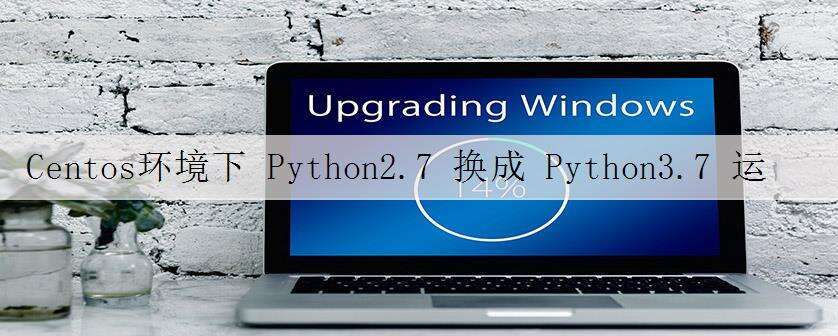
本文标题为:Centos环境下 Python2.7 换成 Python3.7 运行 scrapy 应用所遇到的问题记录


- Python实现将DNA序列存储为tfr文件并读取流程介绍 2022-10-20
- Python之路-Python中的线程与进程 2023-09-04
- CentOS7 安装 Python3.6 2023-09-04
- python线程池ThreadPoolExecutor与进程池ProcessPoolExecutor 2023-09-04
- python中defaultdict用法实例详解 2022-10-20
- python中列表添加元素的几种方式(+、append()、ext 2022-09-02
- Python Pandas如何获取和修改任意位置的值(at,iat,loc,iloc) 2023-08-04
- windows安装python2.7.12和pycharm2018教程 2023-09-03
- Python 保存数据的方法(4种方法) 2023-09-04
- 在centos6.4下安装python3.5 2023-09-04